
Automotive Locksmith
Broken Key in a Car Lock or Ignition What Not to Do Next
A snapped car key calls for a pause. Learn which moves can make a stuck piece worse and what to have ready for key extraction help.
License Number: B09416401
Commercial Keyless entry systems In Houston by Scorpion Locksmith. Mobile credentials cloud control audit logs fast install and 24 7 support. Get a free quote
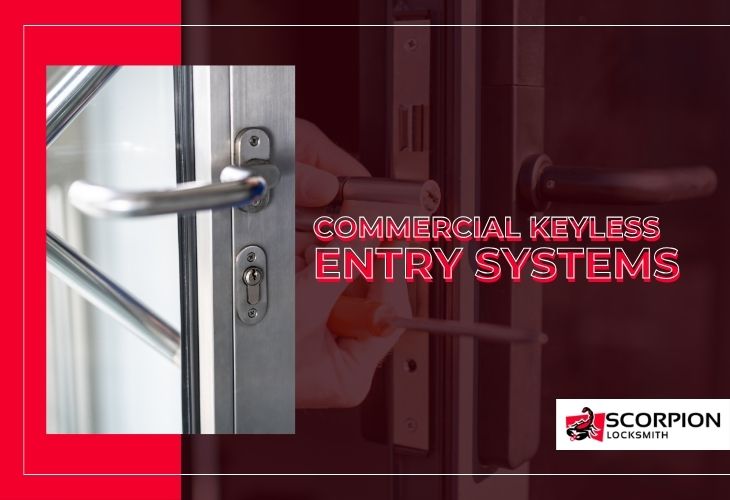
Commercial keyless entry systems in Houston replace everyday key use with codes, cards, fobs, or phone credentials. Scorpion Locksmith helps Houston, TX businesses assess doors, select suitable access controls, and plan installation. We focus on practical entry rules, dependable door operation, and manageable access for employees and approved visitors.
Commercial keyless entry systems let approved people enter without using a traditional key for every visit. Depending on the equipment, you can assign individual credentials, set entry schedules, and remove access when someone leaves.
A single office door may only need a keypad lock. A property with several entrances may benefit from connected readers and centralized access control. The right setup depends on who uses each door and how the building operates.
Who can enter your building right now? If answering requires finding an old spreadsheet and calling three former managers, your access process probably needs attention.
We help you look beyond the reader on the wall. The lock, door closer, frame, power supply, and exit hardware all affect whether the system works properly.
A keyless entry upgrade makes sense when physical keys or shared access codes become difficult to manage. Lost keys, employee turnover, and changing work schedules can leave uncertainty about who still has access.
Not every concern requires replacing all existing hardware. Sometimes the practical starting point is a single controlled entrance or an upgrade to a door already using electronic access.
The goal is clearer control without making normal work harder. A secure door should not become the office’s most demanding coworker.

The best credential is the one your employees can use consistently and your managers can control responsibly. Keypads, cards, fobs, and mobile credentials each have useful roles.
A keypad can suit a smaller team, especially when it supports separate user codes. Shared codes are harder to track and should not serve as a permanent substitute for individual credentials.
Cards and fobs let employees present a physical credential at a reader. Compatible systems allow managers to deactivate a missing credential without collecting everyone else’s credentials.
Mobile credentials use supported phones and compatible readers. Before choosing them, consider phone compatibility, enrollment steps, battery concerns, and employees who do not use personal phones for work.
We help compare these options against your actual workday. A phone-based option may be convenient for office staff, while warehouse employees may prefer a fob they can carry securely.
Access schedules restrict entry by person, door, and time when supported by the system. They can help separate regular employee access from cleaning, delivery, or temporary access.
Start with the work people actually perform. A front-office employee may need the main entrance during business hours but have no reason to enter a stockroom overnight.
Does your cleaning crew need every door, or just the employee entrance and service areas? Questions like that prevent broad access from becoming the default.
Keep the plan simple enough for a manager to understand. Overly complicated rules can lead to workarounds and unnecessary lockouts.
Compatible cloud-managed systems allow authorized administrators to manage access through an internet-connected platform. Available functions may include credential changes, schedules, door status, and event records.
For businesses comparing commercial keyless entry systems in Houston, remote management can be useful across several doors or properties. Its value depends on connection requirements, administrator controls, and how the equipment behaves offline.
Audit logs record supported events, which may include accepted credentials, rejected attempts, and door alerts. A recorded credential event does not prove who physically entered, especially if someone followed another person through the door.
We discuss these functions without treating every product as identical.
The model and configuration determine what is available.
A keyless entry system needs a door that closes and latches correctly. An electronic reader cannot fix a dragging door, loose frame, or worn latch.
During a door review, we look at alignment, hinges, closing action, and existing locking hardware. We also consider the door material, traffic, and whether the opening faces outdoor conditions.
Common hardware paths include keypad locks, electric strikes, and electrified locking hardware. Each works differently and must suit the opening and its exit requirements.
Glass storefront doors, metal service doors, and interior office doors often need different approaches. Reusing an existing lock may be possible, but compatibility needs confirmation before work begins.
If your current door only latches after a shoulder bump, mention that early. Correcting the physical problem helps prevent access complaints after new equipment goes in.
Our site review connects your daily access needs with the condition and layout of your property. We ask how people enter, inspect relevant openings, and discuss suitable equipment options.
Bring up trouble spots during this visit. A rear door that sticks after rain or an entrance used heavily during shift changes can affect the plan.
For leased space, we also discuss the need for property approval. Clear permission helps avoid changes that conflict with building requirements.
Installation is complete only when the door hardware and access settings work together as intended. Mounting a keypad or reader is just part of the job.
The work may involve replacing locking hardware, fitting a reader, routing cable, and connecting compatible control equipment. Some openings need physical repairs before electronic components can operate properly.
Installation timing varies with door count, wiring access, hardware availability, and property conditions. A straightforward standalone lock differs from a connected system across multiple entrances.
We discuss likely interruptions before work begins. Keeping staff informed helps reduce confusion while an entrance is being worked on.
Power and network planning help you understand how the system will behave during an interruption. Different locks and controllers respond differently when power, batteries, or internet service become unavailable.
Some equipment stores access permissions locally and can continue certain functions without an internet connection. Other features may stop until the connection returns.
Battery-operated locks need a replacement routine based on their instructions and usage. Wired systems may support backup power, but the arrangement and expected operation require review.
Ask practical questions before choosing equipment. Can staff still enter during a connection loss, and who receives a low-battery notice?
We help identify these operating details during planning. Any backup entry method should be controlled carefully, documented, and understood by the people responsible for the building.
Controlling entry must not prevent required exit from the building. Electronic locking changes need to account for the opening, its use, and applicable building requirements.
Panic hardware, fire-rated openings, alarm connections, and certain locking arrangements need particular attention. Depending on the work, coordination with building management or other qualified trades may be necessary.
Do not improvise wiring or add an extra lock to solve an access problem. An apparently small change can affect how people leave during an emergency.
Stop using a malfunctioning opening as a routine entrance if it will not close securely or exit operation is impaired. Follow your building’s safety procedures and contact the appropriate service provider.
Tell us about known door problems before installation. Entry control works best when security and safe exit are considered together, not treated as competing goals.
Houston businesses need access equipment that fits the exposure and traffic at each door. An indoor office reader faces different conditions than a keypad beside an uncovered service entrance.
Heat, humidity, wind-driven rain, and direct sun can affect equipment selection and placement. Outdoor components need ratings suitable for their installed location, and cable connections need appropriate protection.
Across Houston, Texas, common situations include the following.
We consider how each opening is used rather than applying the same lock everywhere. High traffic, carts, cleaning routines, and delivery habits all shape a practical installation plan.
Visitor access works best when temporary entry follows a repeatable process. Depending on the system, options may include time-limited credentials, scheduled codes, or staff-controlled admission.
Avoid handing a permanent employee code to every contractor. A temporary need should not create access that remains active long after the work ends.
A reader alone does not stop someone from following an employee inside. Staff should understand how to respond to unfamiliar visitors without creating a confrontation.
Clear signs and an easy contact method can also reduce door propping. People are less likely to improvise when the entry process is obvious.
Gathering door details and access requirements before our visit helps us assess the project efficiently. You do not need to select the equipment yourself.
Photos of the door, frame, and current lock can help with an initial conversation. An on-site inspection may still be needed to confirm measurements and compatibility.
Tell us whether the entrance must remain available during business hours. That lets us discuss a workable approach before the installation visit.
A keyless entry system needs regular permission reviews and basic door care. Even well-chosen equipment can become frustrating if user records and physical hardware are neglected.
Remove access promptly when an employee leaves or a vendor assignment ends. Avoid reassigning an old credential without updating the associated user record.
Do not spray cleaner directly into readers or electronic lock components. Follow the equipment instructions rather than treating a keypad like a breakroom countertop.
Keep a written process for lost credentials and access changes. That prevents every routine request from becoming an urgent call to the busiest manager.
Scorpion Locksmith approaches commercial keyless entry as a door security project, not just an equipment swap. We focus on the people using the opening, the hardware already there, and the controls you can manage.
Our discussions cover credential choices, door condition, installation needs, and daily administration. We explain where equipment features depend on the selected product and configuration.
You may want to start with one entrance before considering other doors. You may also need a broader plan for separate departments or multiple properties.
We help you sort those needs into a workable next step. The aim is a system that supports your business routine without adding unnecessary tasks.
Start your project by discussing your doors, users, and current access concerns with Scorpion Locksmith. For commercial keyless entry systems in Houston, a useful first conversation begins with what you need to control.
Tell us whether you are replacing physical keys, updating an older keypad, or planning access for a new location. Mention any sticking doors, shared entrances, or after-hours entry needs.
Call (281) 623-1517 or contact us to discuss commercial keyless entry for your Houston, TX business. We can help you identify the door information and access requirements needed for the next step.
It's an access control solution that allows businesses to secure doors without traditional keys, often using keypads, cards, or mobile access instead.
Keyless systems help prevent unauthorized access and make it easier to manage who can enter specific areas in your business.
Yes, many systems keep logs of entry times and users for better security oversight.
No, most systems are designed to be user-friendly and easy for staff to operate.
Access can be quickly changed or disabled for lost cards or forgotten codes without having to replace locks.
In most cases, keyless systems can be adapted to fit a variety of door types and setups.
Many systems have backup options like batteries or manual overrides to ensure continued access.
Yes, you can set up temporary codes or cards for specific people and timeframes.
Yes, Scorpion Locksmith provides professional installation and support for commercial keyless entry systems.
Simply contact Scorpion Locksmith to discuss your needs and schedule a consultation.
A snapped car key calls for a pause. Learn which moves can make a stuck piece worse and what to have ready for key extraction help.
A renter-focused lockout guide covering what to check, what not to force, and how to prepare for locksmith assistance.
Moved into a Houston home? Rekey working exterior locks soon after possession. Replace locks that are damaged, worn, poorly fitted, or no longer meet your needs.